
Type with your voice in any app.
Click Dictate in the notch, or hold the right ⌘. Dictera punctuates what you said, strips the fillers and puts it where your cursor is - in up to 100+ spoken languages, depending on the model you choose. Speech is recognized on your Mac and never uploaded, and there's no account.
Free 14-day trial · No account needed · Requires a Mac with Apple silicon · macOS 26 or later
Starts from the notch
Dictate is the first button in the notch. Click it and talk, click again, and your words land where your cursor was - the notch never takes the focus away from the app you're typing in. Or keep your hands on the keyboard and hold the right ⌘.
Click, talk, click
Point at the notch, click Dictate, and start talking. The Dictate widget on the notch's Home page has the same button, so a dictation is one click away whenever the notch is open.
A strip that says what it's doing
While you talk, the notch shows live level bars and the time. The color tells you what happens next: white for plain dictation, green when cleanup will run, purple for a translation, amber for a voice edit. Three dots while it works, then a tick.
Stop, or throw it away
Point at the strip and a card drops with Stop and Cancel. esc works too, and you choose whether the audio is still transcribed or thrown away.
Quick Controls
Hold Dictate, or press ⌥⌘C, for the Quick Controls page. A Dictation card switches Dictate, Translate Dictation and Cleanup on or off; a Selected Text card does the same for Correct Selection, Edit Selection and Translate Selection. Under them, Speech, Cleanup and Translation pick the model each one runs on, and every language list lets you pin the languages you use to the top.
Mute every microphone
The Microphone tool beside Dictate mutes every microphone on your Mac at once, so a call, a browser tab and dictation all hear silence. Dictate anyway and the notch tells you: "Your microphone is muted". Hold the tool to choose which microphone dictation uses.
On any display
On a display without a notch, such as an external monitor, Dictera draws a stand-in notch that shows the same strip. Prefer the Pill shape, just below the menu bar? Dictation shows there too.
Speak anywhere you can type
Dictera lives in your menu bar and your notch, and writes into whatever app has focus - email, docs, chat, terminals, IDEs. There's nothing to copy and nothing to switch to.
Your shortcut, your way
Hold a modifier push-to-talk style, double-tap it, or record any combination - bound to the left key, the right key, or either. Or skip the keyboard and click Dictate.
Text that fits where it lands
Dictera looks at what's immediately before the cursor and joins on correctly, instead of doubling a space or a full stop - including Electron apps like Slack, VS Code, Notion, Discord and Teams, which hide their text from macOS until an assistive app asks for it. That surrounding text is only ever read by a model on your Mac, never by a server across the network.
Stops when you do
Optional voice-activity detection ends the recording when you stop talking, after a pause you set.
Say the punctuation
"New line", "new paragraph", "comma", "question mark", "scratch that" - structure without touching the keyboard.
It knows the language automatically
No menu, nothing to pick. Dictera works out what you're speaking as you speak - and you can switch language mid-sentence and still get each word in the right script.
Four speech engines
Apple's own engine, built into macOS; Parakeet Ultra 0.6B from Moondream, a 632 MB download; and multilingual models from Nvidia and Alibaba. Download the one that fits your languages and hardware, and switch from Quick Controls whenever you like.
Choose a language when it helps
Automatic detection is the default. Choosing the language you speak gives the models that accept a hint something to go on.
Speak one language, type another
Double-tap the right ⌘ and Dictera inserts a clean translation instead of a transcription - 29 target languages, fillers removed, punctuation fixed. The strip turns purple and names the language it's translating into.
Teach it your words
Custom replacements so names, brands and jargon come out exactly right every time.
And it fixes what you've already written
This is the part most dictation apps don't do. Select text anywhere on your Mac and Dictera will clean it up, translate it, or rewrite it from a spoken instruction - in place, one undo away.
Edit Selection by voice
Select text, hold the right ⇧, and say the change: "make it shorter", "turn this into bullet points", "draft a reply". The rewrite lands in place.
Correct Selection
Double-tap the right ⌥ and grammar, spelling and punctuation are fixed where they sit - one undoable edit, and an unchanged result is left alone rather than pasted over itself.
Translate Selection
Select text and hold the right ⌥: the translation drops out of the notch on a card, with the original under it, and it's already on your clipboard. Your document isn't touched.
Cleanup before it lands
An on-device model removes filler words and fixes punctuation as you dictate. If it ever fails, you still get the raw transcript.
Your voice stays on your Mac
Speech is recognized on your Mac and never uploaded, and the built-in cleanup model runs here too. Once a model is downloaded, dictation works with no network at all.
No account
No signup and no password. The trial doesn't ask for an email either.
History stays local
Every transcription is searchable, pinnable and exportable - stored only on this Mac, with retention you set, and switchable off entirely.
Your own model, if you'd rather
Point cleanup and translation at six local servers or seven cloud providers instead - the app says so when your text would leave your Mac. The built-in model needs no setup and stays the default.
Verifiable
No analytics SDK and no telemetry. Every host the app contacts, and when, is listed in Security & data handling.
From the blog
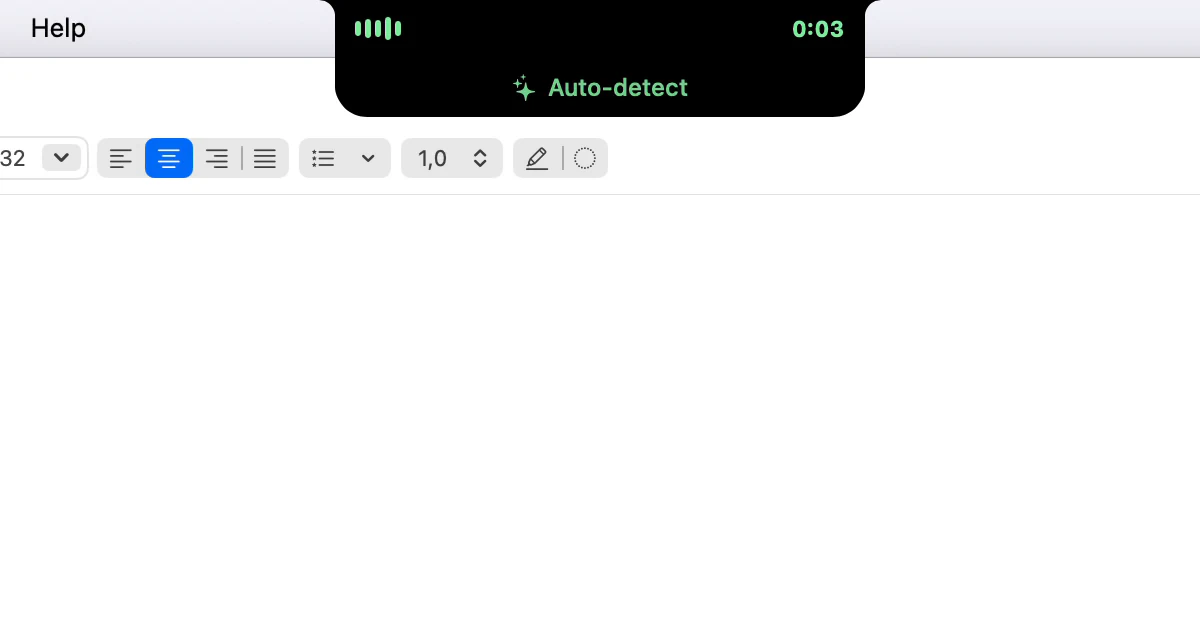
What do the colours on the notch mean while I dictate?
White, green, purple or amber: the colour around the notch says what Dictera will do with your words, before you say them. Red means your microphone is muted.
· 3 min read
Writing an email by voice, start to send
Dictate the body a paragraph at a time, say the structure, and fix sentences by voice instead of retyping them. A routine for email, first word to Send.
· 8 min read
Dictating in a noisy room: microphone and silence settings
Background noise costs dictation twice: in the words the model hears, and in when a recording ends. A closer microphone fixes one, three sliders the other.
· 8 min read
Dictate is one button in the notch.
The same notch keeps everyday tools a point away - music, screenshots, a clipboard history, timers - and the AI Assistant: live answers on calls, meeting notes without a bot, and a private chat.
Try it free for 14 days.
Everything unlocked - the notch, dictation and the AI Assistant. No card, no account.
Then €5.99/month or €59.99/year for all of it · One license, 3 Macs